
Call: 08045479424
 Send Inquiry
 Send Inquiry
Converts"non touch"screen to touch screen
Converts"non touch"screen to touch screen Specification
- Bluetooth
- Yes
- Screen Size
- Supports monitors from 17 to 27
- Camera
- Not included
- Weight
- Approx. 500g (device only)
- WiFi
- Not included
- Screen Resolution
- Depends on monitor
- Monitor
- Compatible with standard LCD/LED monitors
- CPU
- Not applicable (external touch conversion device)
- Chipset
- Integrated touch controller chipset
- Graphics
- Not applicable (follows existing system graphics)
- LAN
- Not included
- Mouse
- Compatible with existing setup
- Keyboard
- Compatible with existing setup
- OS
- Supports Windows, Linux, Android
- Connectivity Options
- USB interface to host system
- Warranty Period
- 1 Year Manufacturer Warranty
- Power Supply
- USB powered
- Operating Temperature
- 0C to 50C
- Accuracy
- 2mm
- Touch Technology
- Infrared or ultrasonic touch frame
- Surface Treatment
- Anti-glare coating
- Light Transmission
- >92%
- Storage Temperature
- -20C to 60C
- Touch Points
- Multi-touch support (up to 10 points)
- Product Dimensions
- Varies by screen size (customizable)
- Installation Method
- Clip-on/overlay frame - non-permanent, tool-free installation
- Response Time
- <10 ms
- Frame Material
- Durable ABS plastic and aluminum alloy
About Converts"non touch"screen to touch screen
Converts"non touch"screen to touch screen
Specification
Technology : Convert any Laptop PC Screen
to a Touch Screen.
Application : Experience fulltouch utility of
window 8 annotate draw on screen
with pen.play games.
Ease of use : plug and play no drivers required
compact and portable design.
compatibility : Minimum Requirement Windows BOS
Design : sleek design with scratch free tip.
Effortless, Non-Invasive Installation
Quickly convert your current LCD or LED monitor into a touchscreen with our intuitive clip-on overlay frame. No disassembly or tools are required: simply align the frame over your screen, secure it in place, and connect the USB cable to your computer. The device is non-permanent and easily removable, making it ideal for both personal and professional environments.
Advanced Multi-Touch Technology
Experience highly responsive touch interaction with infrared or ultrasonic sensors, supporting up to 10 simultaneous touch points. The built-in touch controller chipset ensures response times of under 10 milliseconds and precise input recognition. Whether youre drawing, annotating, or controlling applications, enjoy reliable and accurate touch performance every time.
Universal Compatibility & Robust Construction
Compatible with standard 17 to 27 LCD/LED monitors and most systems running Windows, Linux, or Android, this device fits seamlessly into existing setups. The durable ABS plastic and aluminum alloy frame, equipped with anti-glare surface treatment, maintains excellent light transmission and comfort during use, making it suitable for various commercial and educational applications.
FAQs of Converts"non touch"screen to touch screen:
Q: How do I install the touchscreen overlay frame on my existing monitor?
A: The overlay frame is designed for easy, tool-free installation. Simply clip it onto the front of your monitor, connect the USB cable to your computer, and its ready for use. No technical expertise or permanent modifications are necessary.Q: What types of monitors and operating systems are supported?
A: This device is compatible with standard LCD or LED monitors ranging from 17 to 27 inches and supports Windows, Linux, and Android operating systems for seamless integration into most setups.Q: When is it beneficial to use a touch conversion frame instead of a new touchscreen monitor?
A: Opting for a touch conversion frame is ideal if you want to upgrade your current monitor with touch functionality without the expense or downtime of purchasing and installing a new touchscreen display. Its perfect for dealers, exporters, educators, and professionals seeking flexibility and cost savings.Q: Where can I use the touch conversion device?
A: This touch frame is suitable for offices, educational institutions, retail spaces, and interactive kiosks, as well as at home. Its non-permanent design and universal compatibility make it a versatile enhancement for any environment requiring interactive capabilities.Q: What is the installation and removal process like?
A: The installation is simple and tool-free: just align and clip the frame onto your screen, then plug in the USB cable. To remove, detach the frame without leaving marks or damage, preserving your original monitor for future use.Q: How does the device deliver accurate and timely touch recognition?
A: With a <10 ms response time, 2mm touch accuracy, and anti-glare surface, the frame ensures smooth, precise touch input. Its multi-touch support enhances workflow for collaborative and creative tasks.Q: What warranty and support options are available?
A: The product comes with a 1-year manufacturer warranty. As a supplier, fabricator, and distributor based in India, we offer technical support and service for all distributed units.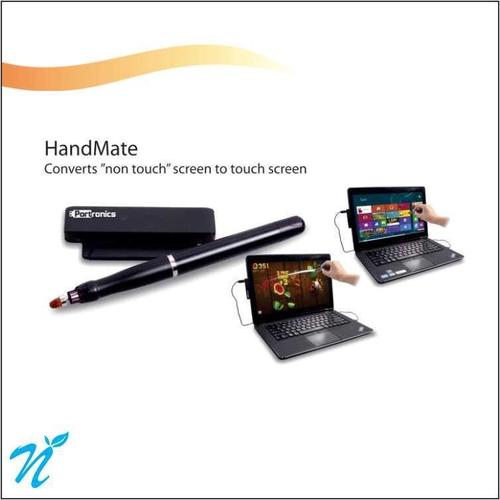
Tell us about your requirement

Price:
Quantity
Select Unit
- 50
- 100
- 200
- 250
- 500
- 1000+
Additional detail
Mobile number
Email

More Products in Computer Accessories Category
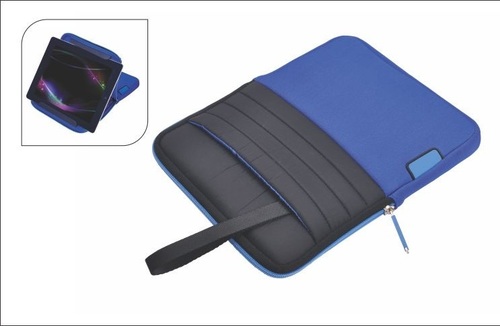
iStand
Weight : 5.8 kg
Warranty Period : 1 Year Onsite Warranty
Connectivity Options : USB 3.0, HDMI, Card Reader, Audio Jack
OS : Windows 10 Pro
WiFi : Other, Yes, Integrated WiFi
Chipset : Compatible Integrated Chipset
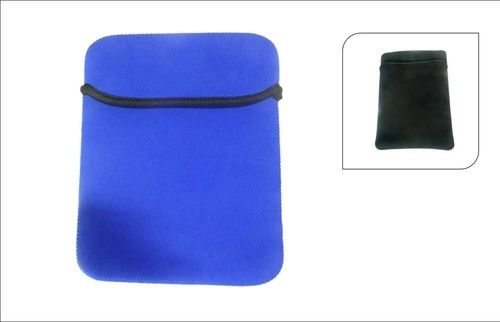
Safe Sides 14
Weight : 1.5 Kg
Warranty Period : 1 Year
Connectivity Options : USB, HDMI, VGA, LAN, Audio ports
OS : Windows 10
WiFi : Other, 802.11 b/g/n
Chipset : Integrated
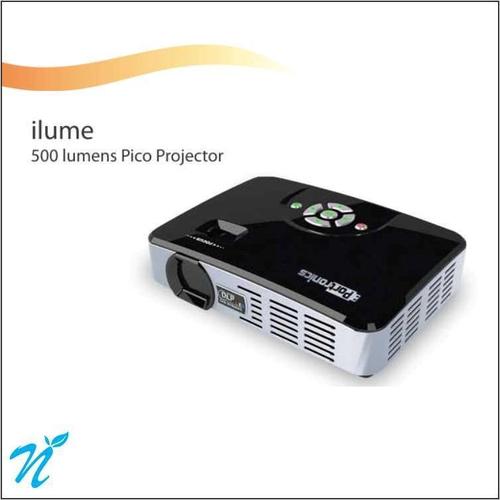
500 Lumens Pico Projector
Weight : Around 0.5 kg
Warranty Period : 1 Year
Connectivity Options : HDMI, USB, AV, Micro SD card slot, 3.5mm audio out
OS : Supports various input OS through connection (Windows/Android/Mac)
WiFi : Other, Yes, supports wireless screen mirroring
Chipset : DLP (Digital Light Processing)
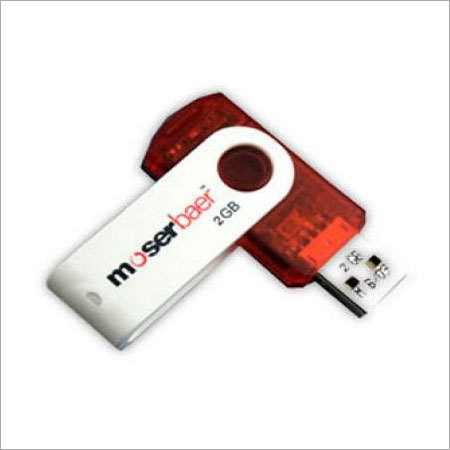
USB Flash Drive
Weight : Approx. 8g
Warranty Period : 1 Year Warranty
Connectivity Options : USB 2.0 / USB 3.0, Plug and Play
OS : Windows, macOS, Linux compatible

We preferably deal in areas of Mumbai, Maharashtra.
Contact Details
GST : 27ADGPT8576M1ZI
- 710, Corporate Avenue, Sonawala Road, Goregaon (East),Mumbai - 400063, Maharashtra, India
- Phone :08045479424

 Send Inquiry
|


Developed and Managed by Infocom Network Private Limited.
